Before you start
Export your Spotify data
Freakoff needs your Spotify listening history, the same privacy export Spotify is legally required to give you. It's free, takes about 5 minutes to request, and arrives by email. Here's exactly where every setting lives.
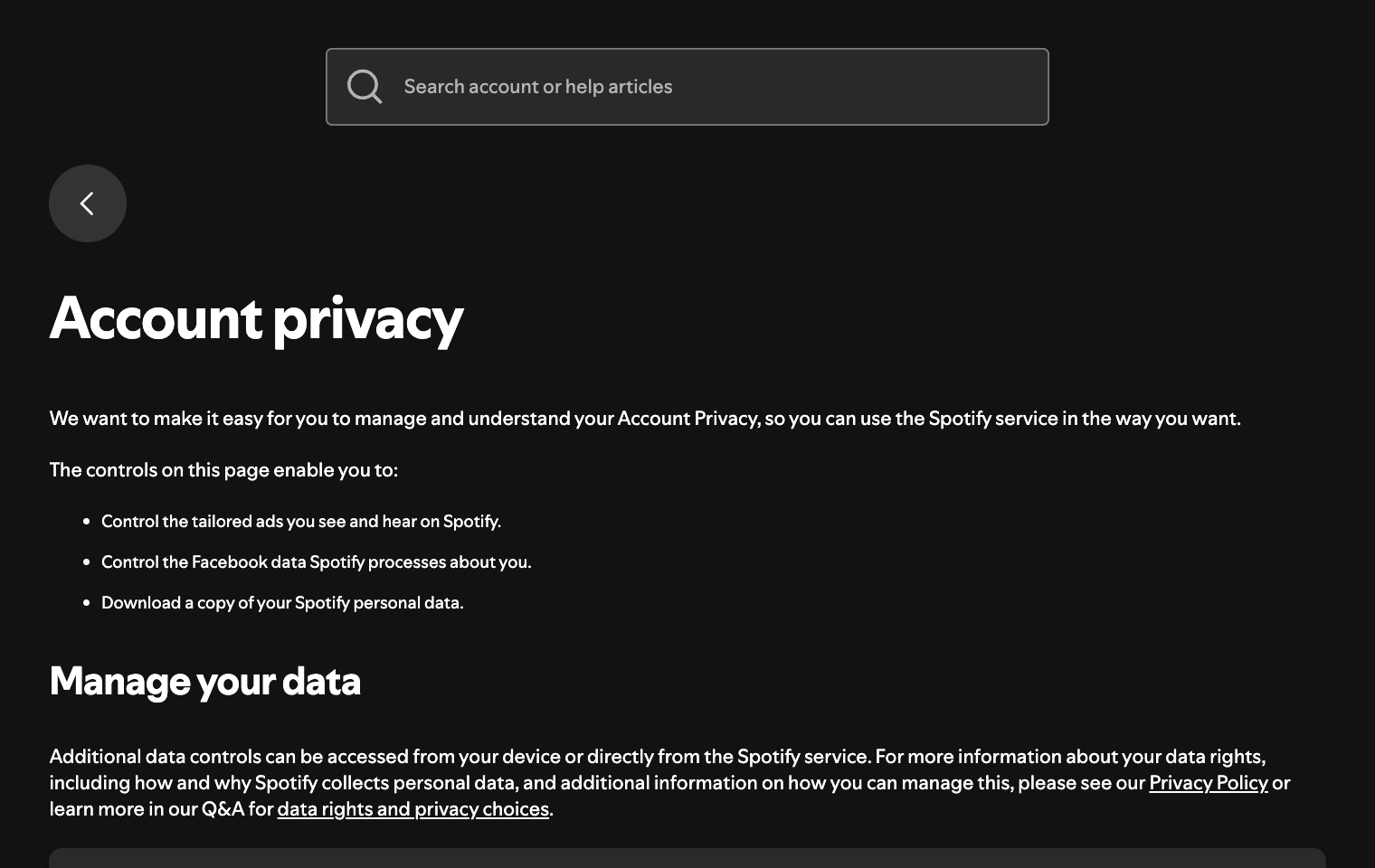
Open your Account privacy page
Sign in to Spotify in a web browser and go to spotify.com/account/privacy.
Or from the account menu, open Account → Privacy settings.
Scroll to “Download your data”
On the privacy page, scroll down to the Download your data section. This is where Spotify lets you request a copy of everything tied to your account.
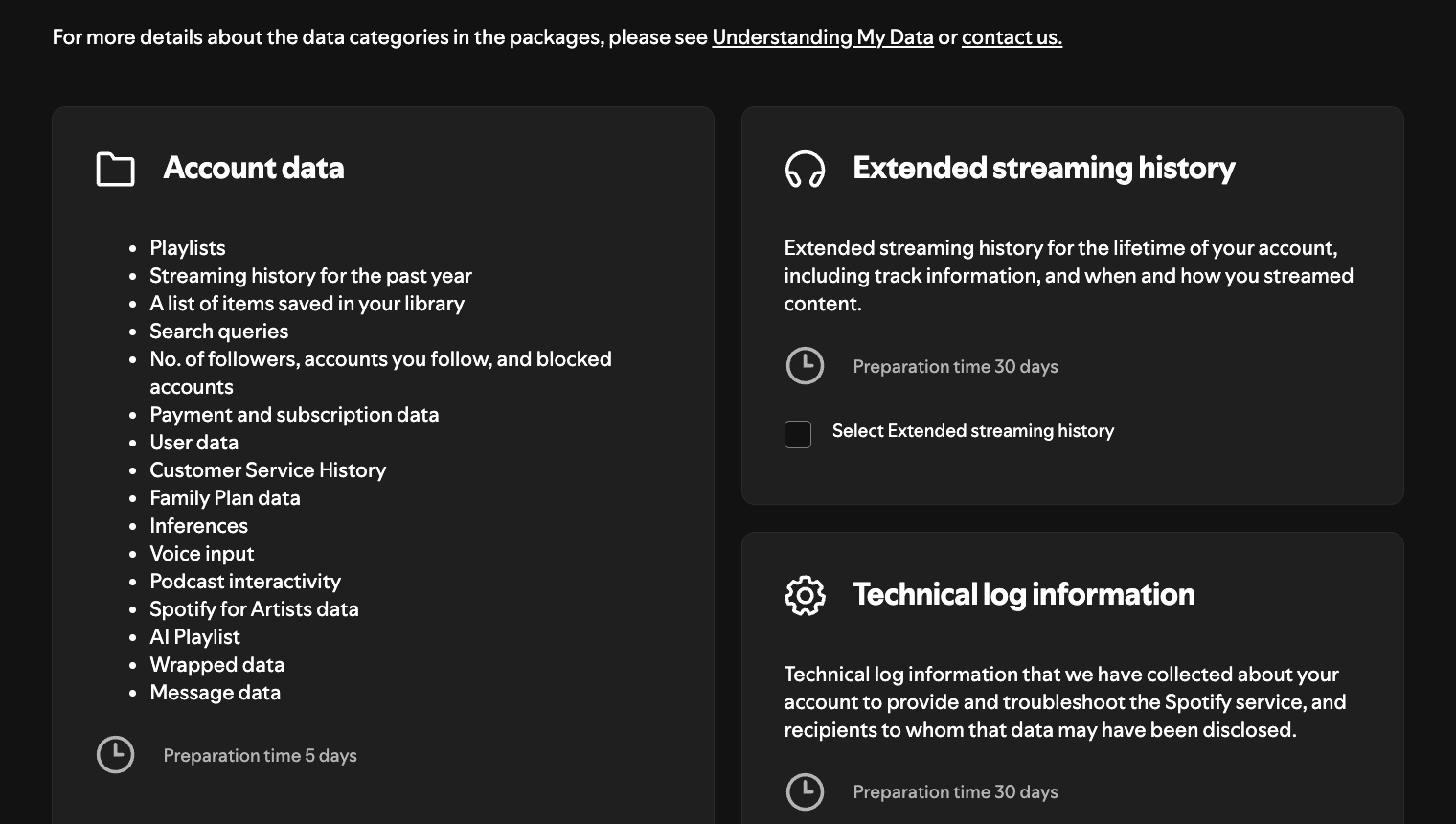
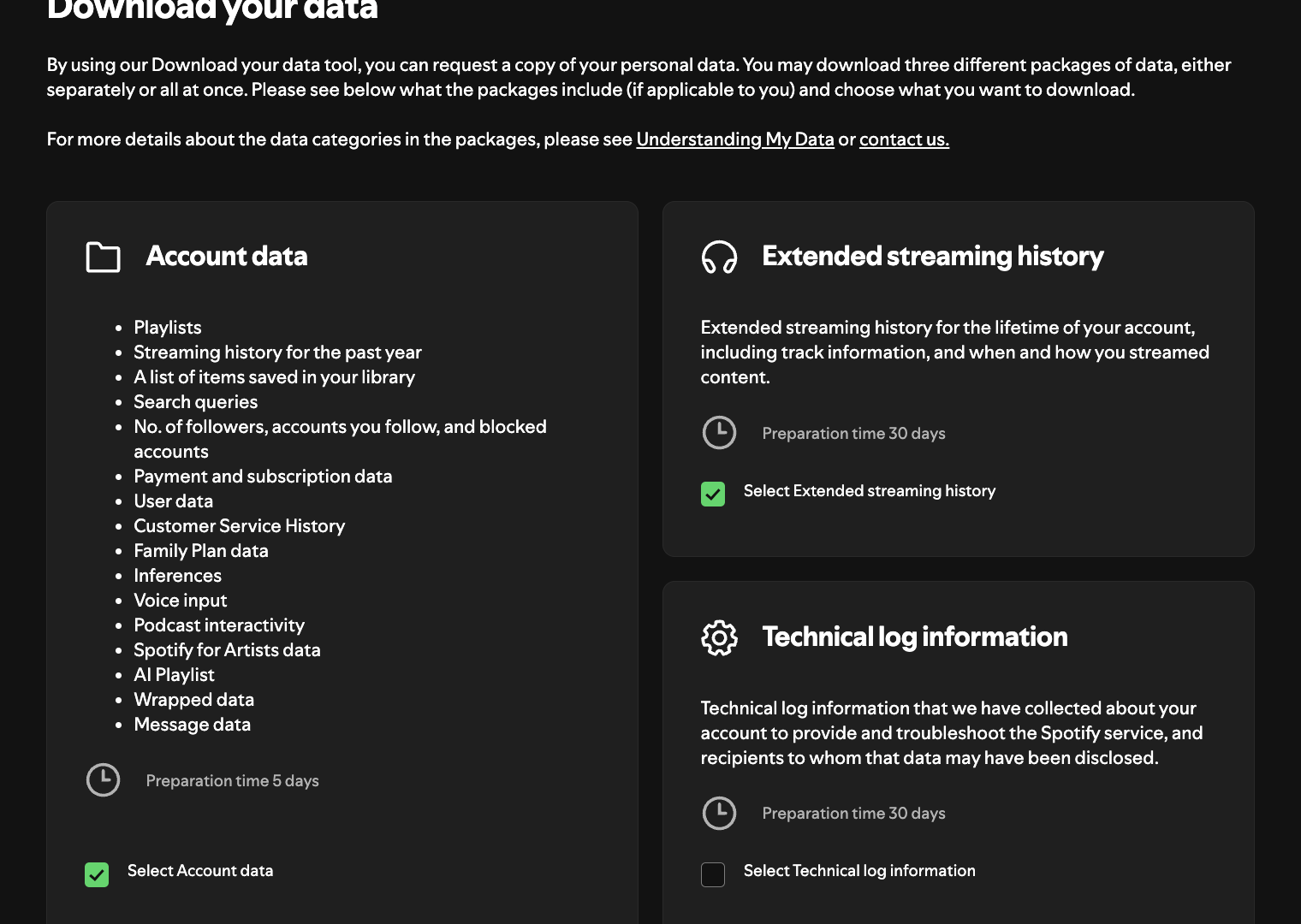
Select your data packages
Turn on Extended streaming history. This is the package Freakoff cares about - it's your full listening history, not just the last year.
Account data works too if you only want recent stats. You can leave Technical log information off.
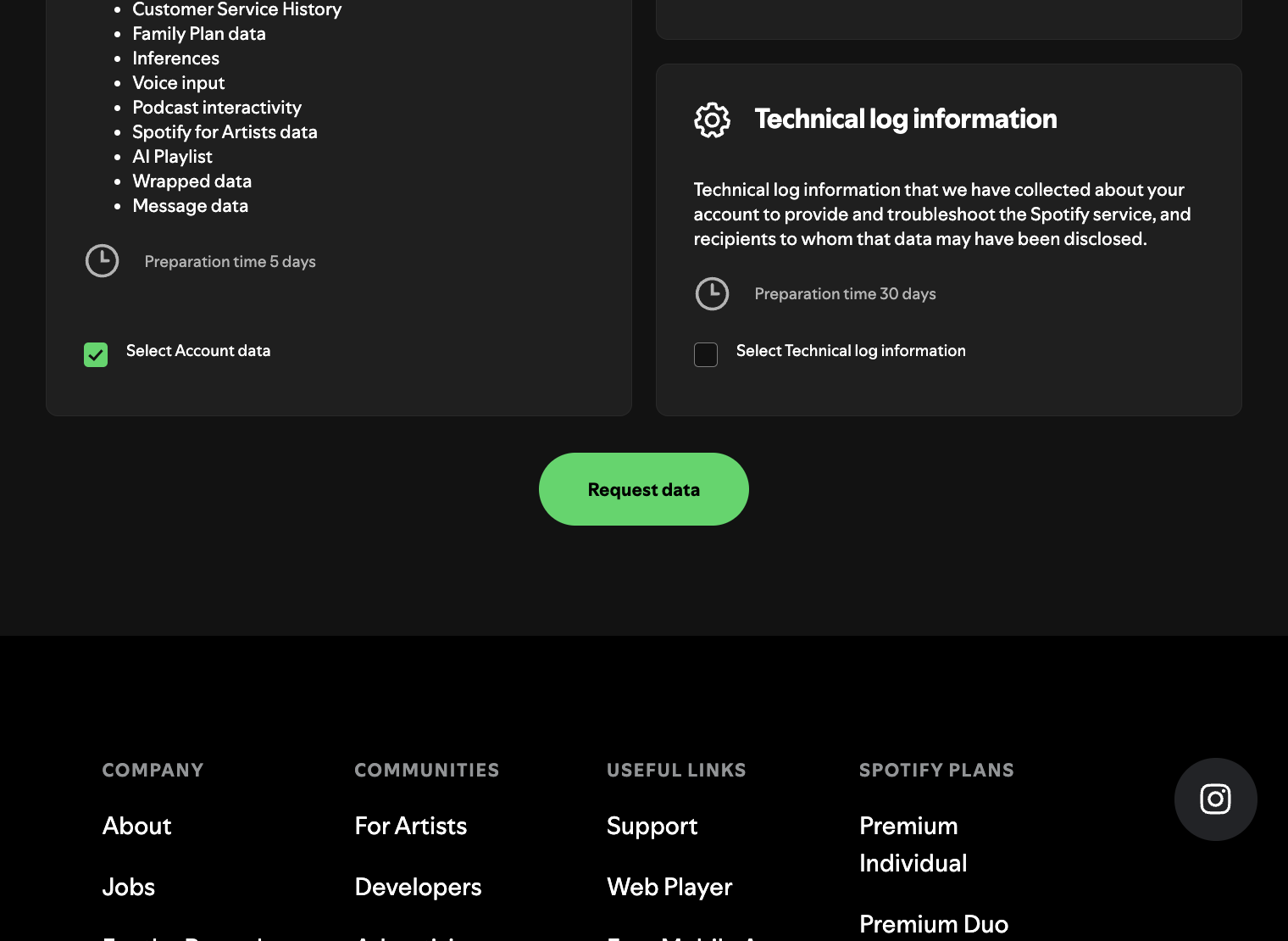
Request the download
Click Request data at the bottom of the section. Spotify will ask you to confirm the request.
Confirm in your email
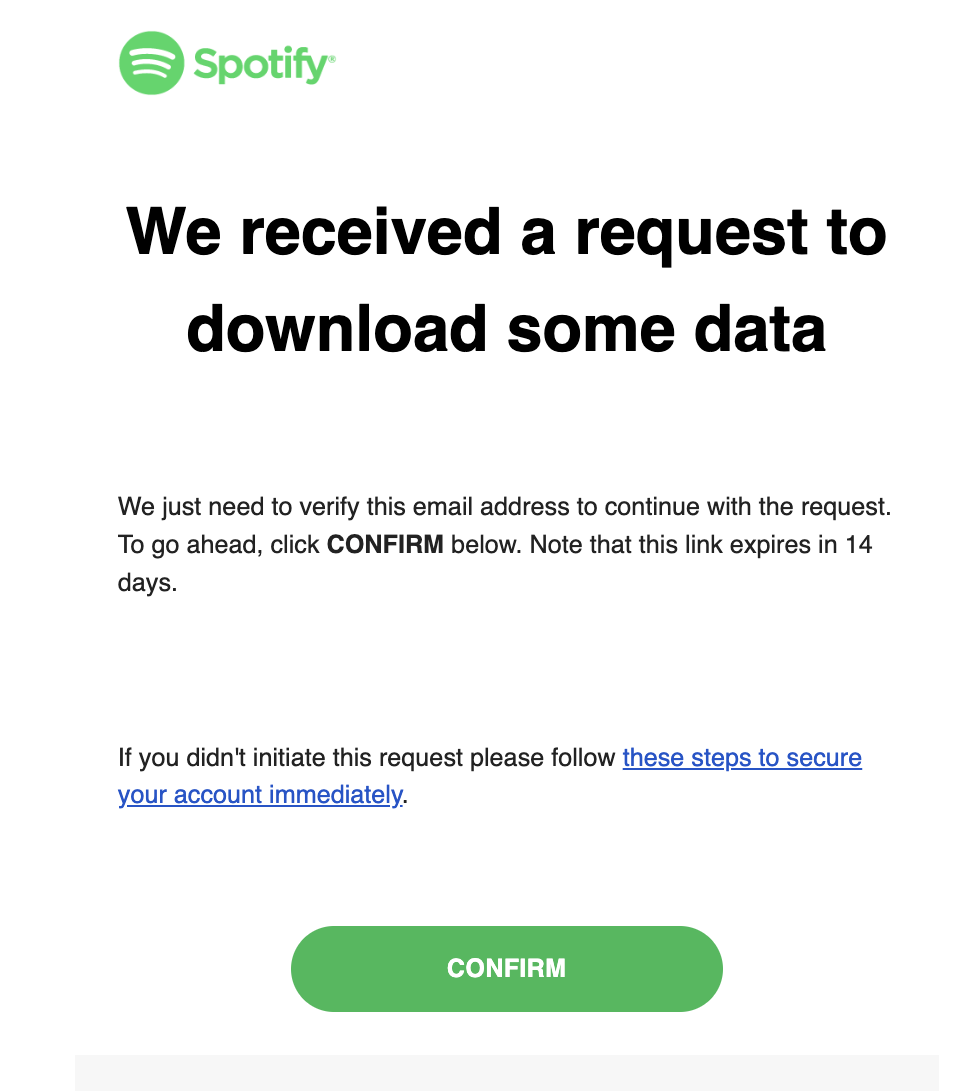
Spotify sends a confirmation email titled “Confirm your data request.” Open it and click Confirm - otherwise the request never starts.
Check spam if it doesn't arrive within a few minutes.
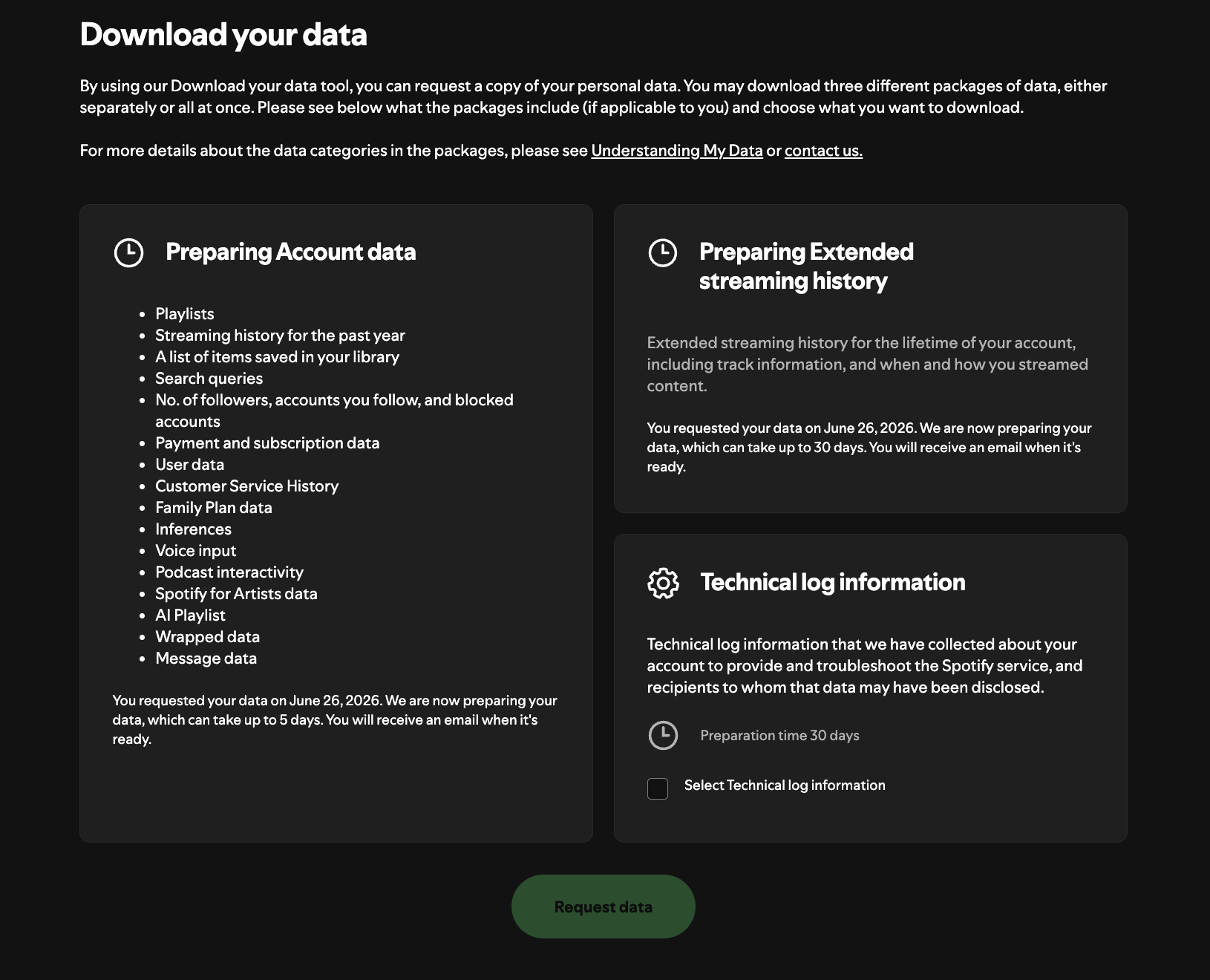
Spotify starts preparing your data
Back on the privacy page, each package now shows “We are now preparing your data.” That's your confirmation it's underway - nothing else to do here.
Account data is quoted at up to 5 days; extended streaming history up to 30 (usually much sooner).
Download the ZIP when it arrives
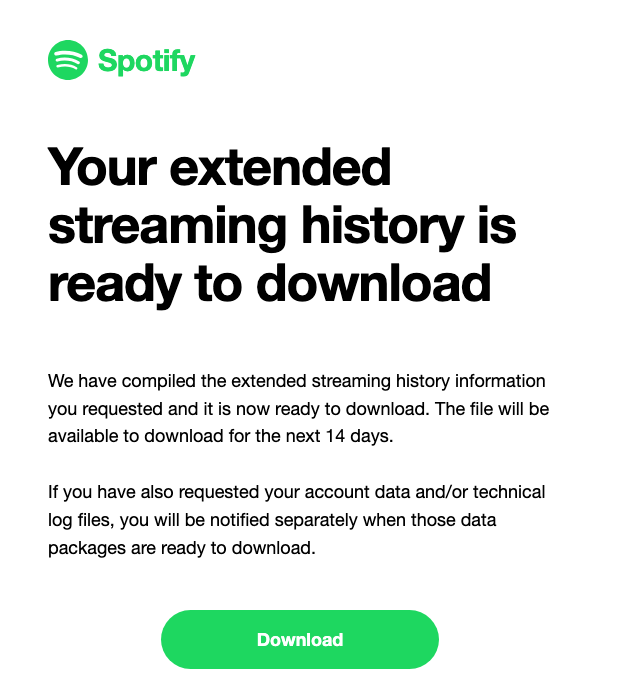
When your file is ready, Spotify emails a download link. Account data usually arrives within a day; the extended history can take up to ~30 days (often much sooner).
Download the .zip - no need to unzip it.
Upload it to Freakoff
Head to your dashboard and drop the .zip (or a .json) into the uploader.
Raw files are parsed, summarized, and deleted automatically. We never keep your archive.
Upload your Spotify archive
Got your file? Let's go.
Already requested your data from Spotify? Create a handle and upload your archive, you'll have a taste profile in seconds.